
Journal
Write a free-form entry for today, and keep a dated record of your morning and evening reflections
The Journal is a free-form page for today's thoughts: a rich-text editor and one entry per day. Next to it, Days is the dated record of what you write in the Startup and Wind-down routines — exercise, gratitude, what went well, energy, learnings and challenges — one row per day you used them.
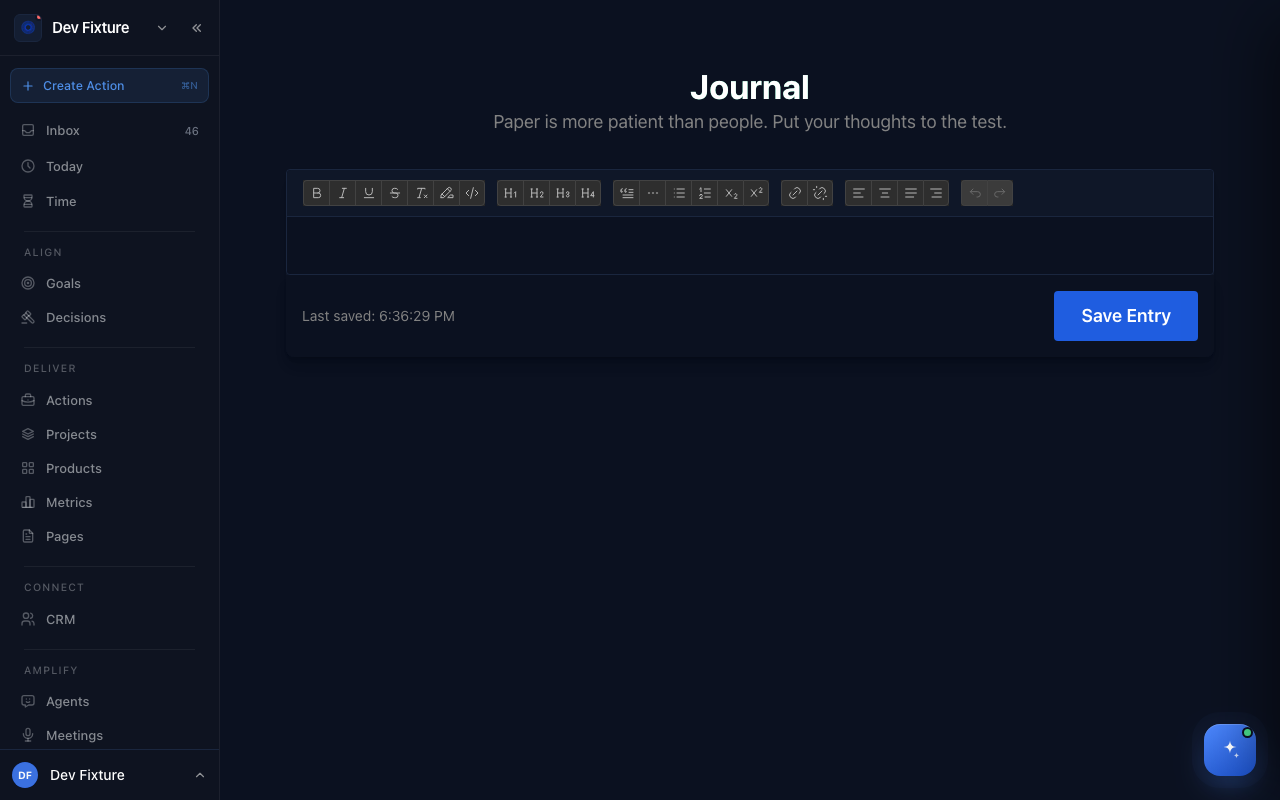
Where to find it
Open Journal or Days. Both are in the user menu (your avatar, bottom-left) as Journal and Days. Neither is in the main sidebar.
How to write today's entry
- Open Journal.
- Write in the editor. The toolbar offers bold, italic, underline, strikethrough, highlight, inline code, headings (H1–H4), bullet and numbered lists, blockquotes, horizontal rules, subscript and superscript, links, text alignment, and undo/redo.
- The entry saves as you type; Last saved at the bottom updates with each change. Save Entry saves it explicitly.
There is one entry per calendar day. Reopen the page the same day and the entry comes back; the next day starts blank.
How to see your days
- Open Days. Each row is a day you have saved a routine on, with its date and the week it falls in.
- Narrow the list with All, This week or This month.
- Click Today (top right) to create today's record and open it.
How it connects
- Routines — the Startup routine's Journal section uses the same editor, and everything you save in either routine is stored on that day's record.
- Weekly plan — reread the week's days before you set next week's focus.
- Habits — the Wind-down routine ends with two daily habit checkboxes; habits with streaks live on the Habits page.
Tips
- The usual shortcuts work in the editor: ⌘B, ⌘I and ⌘U for bold, italic and underline.
- If you want an entry kept with your account rather than in this browser, write it in the Journal section of the Startup routine and click Save Journal.
FAQ
Where is my Journal entry stored? In your browser, on the device you wrote it on. Journal-page entries are not synced to your account, so they do not appear on another device and are lost if you clear browser data. Routine entries (gratitude, journal, what went well, and so on) are saved to your account on that day's record.
Can I read back a past day's notes? Not yet. Opening a day from Days currently shows today's routine sections rather than that day's saved notes.
Is my journal visible to other workspace members? No. Journal and routine entries belong to you, not to a workspace, and are never shown to other members.