
Fireflies
Every recorded meeting arrives with its transcript, summary and action items; assign it to a project and the actions are yours
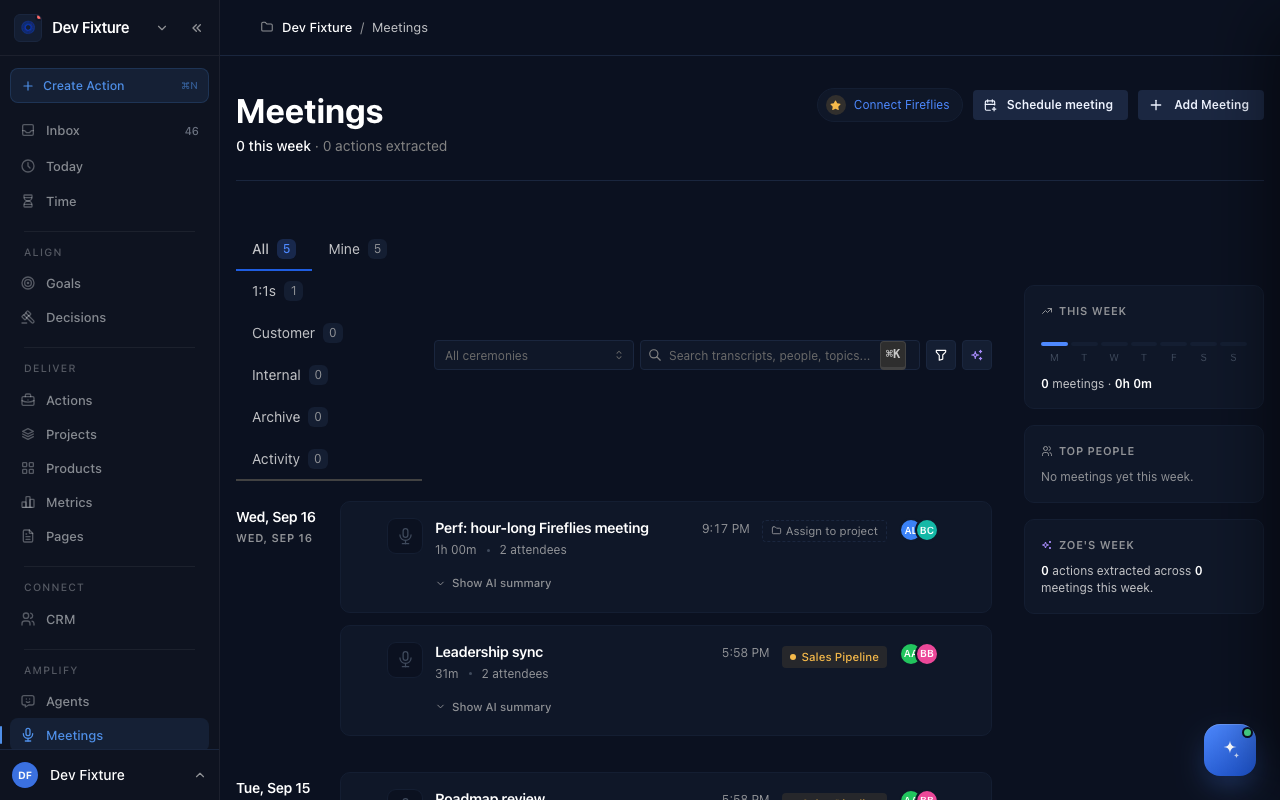
Connect Fireflies.ai and each meeting it records shows up on the Meetings page a minute after it ends, with the transcript, an AI summary and the action items already extracted. Assign the meeting to a project and review which items become actions.
Where to find it
- Set up: Settings → Integrations → Fireflies.ai → Add Fireflies. The same wizard opens from Connect Fireflies on the Meetings page and from the Fireflies card on Workflows.
- Meetings: Amplify → Meetings in the sidebar; see Meetings for everything you can do with one.
How it works
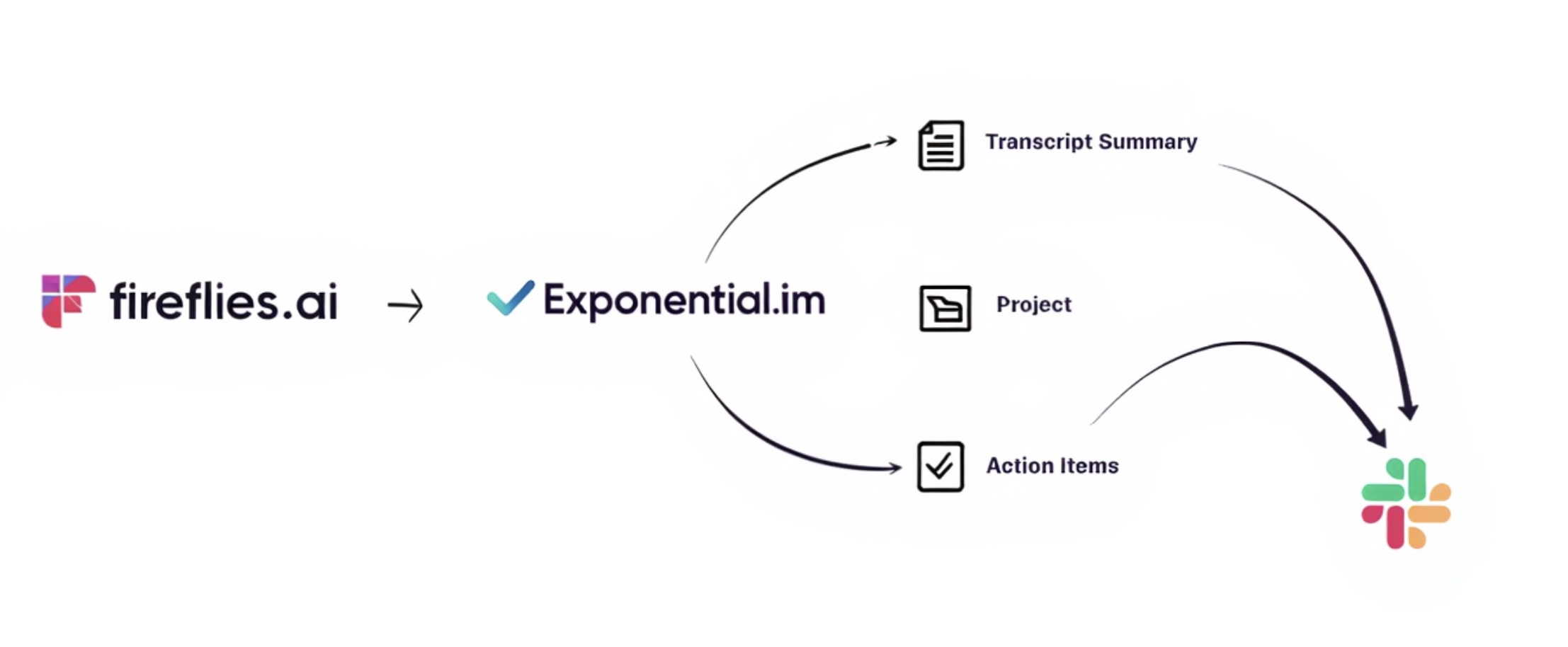
- Fireflies records and transcribes the meeting.
- When the transcript is ready, Fireflies calls Exponential's webhook.
- Exponential checks the webhook's secret, fetches the transcript and summary with your Fireflies API key, and creates the meeting.
- You get a notification that the meeting is ready.
- You assign the meeting to a project and approve the action items you want.
How to connect Fireflies
The wizard has four steps: API Key → Configure → Webhook → Done.
- In Fireflies, open Settings, scroll to Developer Settings and copy your API key.
- In Exponential, open Settings → Integrations, click Add Fireflies, paste the key and click Continue. Exponential tests the key.
- Exponential generates a webhook token and shows you the webhook URL and the token. Copy both; the token is shown once.
- In Fireflies, go to Integrations → Webhooks, add a webhook with that URL, paste the token as the secret, and enable the Transcription completed event.
- Click Done. The Fireflies card on Workflows turns Active.
Tokens expire (90 days is the default choice). When one expires the card shows Setup Required; run the wizard again to issue a new one and update the secret in Fireflies.
How to turn a meeting into actions
Action items are extracted but not created as actions automatically, so nothing lands in your projects unreviewed.
- Open Meetings under Amplify. Filters: All, Mine, 1:1s, Customer, Internal, Archive.
- Click Show AI summary on a meeting to read the overview and the extracted items.
- Click Assign to project and choose the project.
- Approve the items you want; each becomes an action in that project. Decisions found in the transcript go to the workspace Decision Log.
Meetings you did not record with Fireflies can be added by hand with Add Meeting (paste a transcript or notes); a future booking is a Schedule meeting and is a different thing.
What gets captured
| Data | Description |
|---|---|
| Transcript | Full, speaker-attributed |
| Summary | Overview, topics, key points |
| Action items | Suggested actions with the speaker who owns them |
| Participants | Matched to workspace members and CRM contacts where possible |
| Meeting type | Detected category (1:1, customer, internal) |
How it connects
- Meetings — the list, the meeting page, drafted actions and decisions: Meetings.
- Slack — assign a meeting to a project with a Slack channel and the summary posts there: Slack.
- Decisions — decisions Zoe finds in a transcript are recorded with the quote they came from, under Align → Decisions.
- Ceremonies — a recurring team meeting is defined once and its recorded meetings attach to each occurrence: Ceremonies & occurrences.
- Knowledge — transcripts are searchable by Zoe: Knowledge base.
FAQ
Nothing arrives after a meeting. In Fireflies, check the webhook exists, points at the URL the wizard showed, has the Transcription completed event enabled, and that the token has not expired.
"Signature verification failed". The secret in Fireflies does not match the current token (extra whitespace is a common cause), or the token expired. Issue a new one from the wizard.
The meeting arrived without a transcript. The API key was rejected. Re-run the wizard with a fresh key from Fireflies' Developer Settings.
Is my API key safe? It is encrypted at rest. Rotating a token does not delete meetings you already have.