
Ceremonies & occurrences
Define each recurring team meeting once, and let every date get its own agenda, async updates, recording and captured outputs
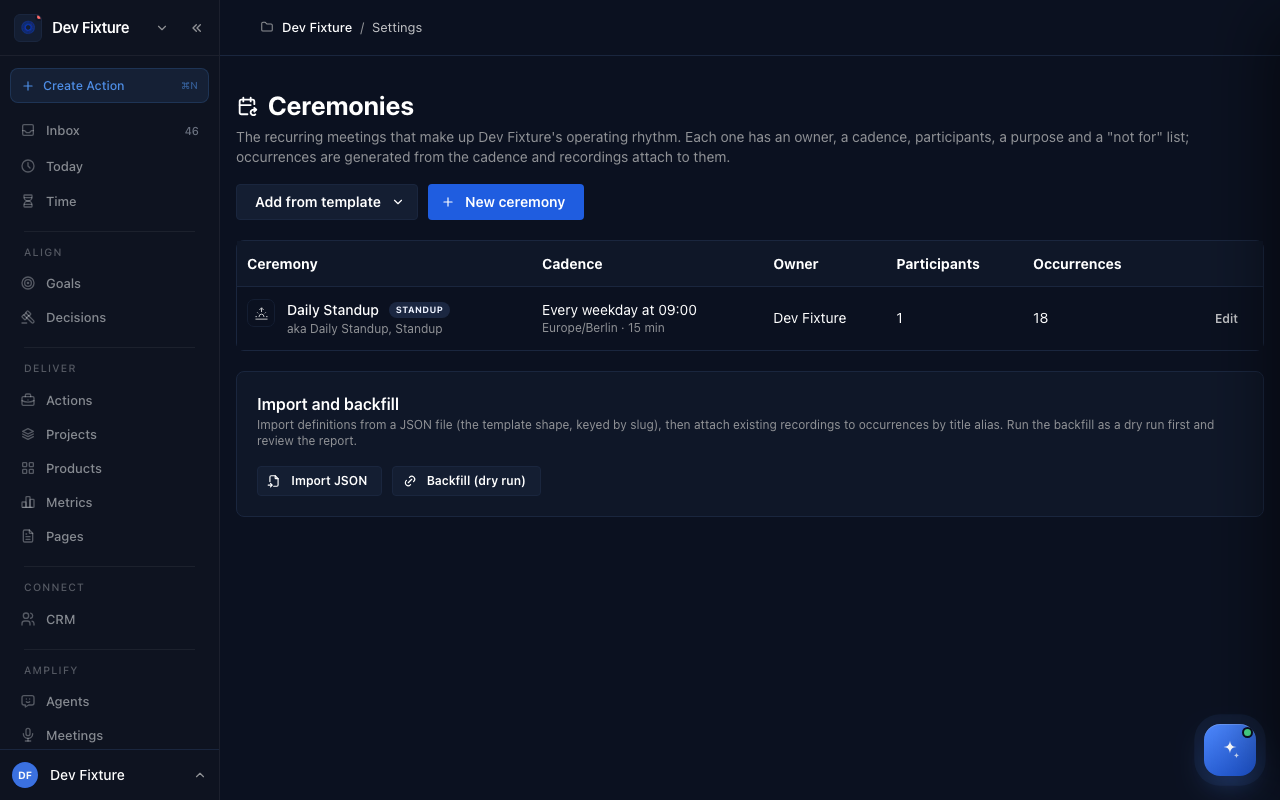
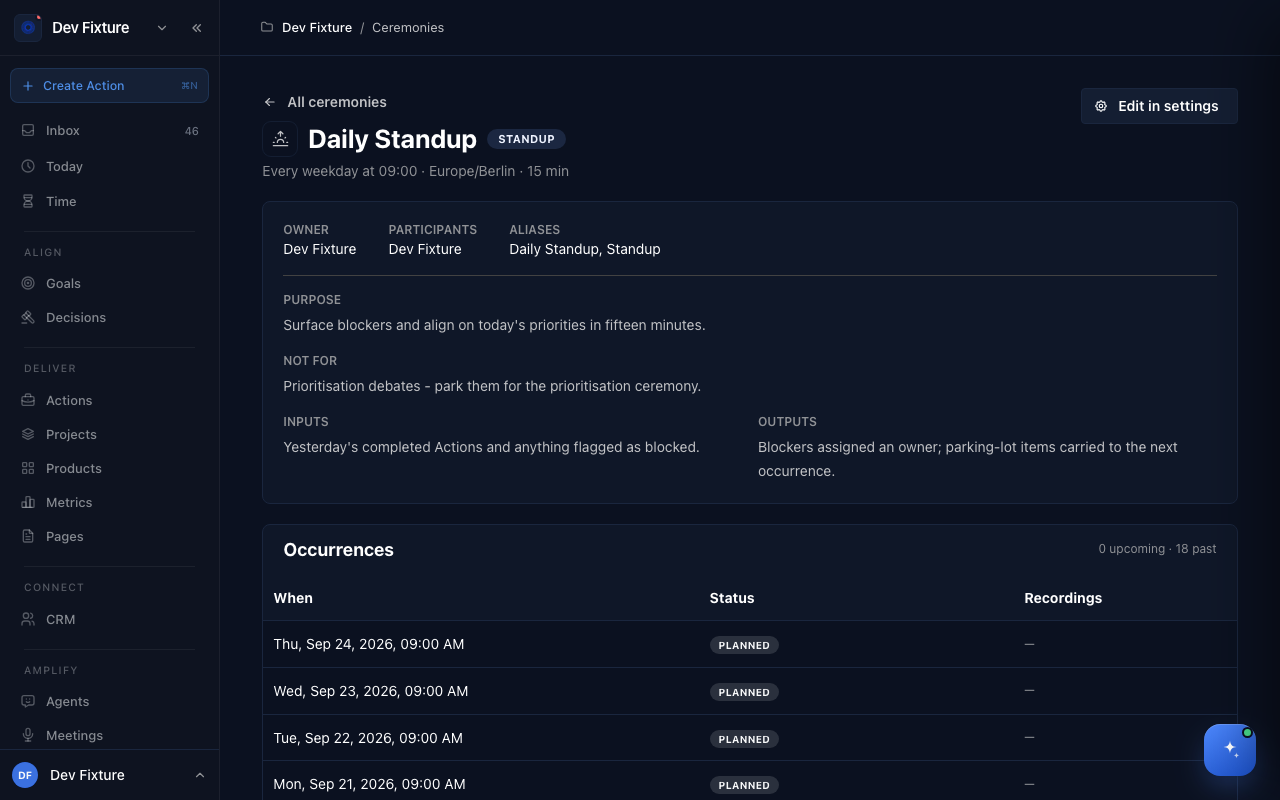
A ceremony is a recurring team meeting defined once: standup, planning, review, retrospective, all-hands. It has an owner, a cadence, participants, a purpose and a "not for" list, an agenda template, required inputs and expected outputs. Each date it happens is an occurrence, which gets a generated agenda, collects participants' async updates, links the recorded meeting, and holds what came out: decisions, actions and a parking lot that carries to the next one.
Where to find it
- Definitions: workspace settings → Ceremonies.
- A ceremony's page (its definition and the list of occurrences) opens from that table; each occurrence has its own page. A meeting's rail links to the occurrence it captured (Part of a ceremony?).
How to define a ceremony
- In workspace settings → Ceremonies, click New ceremony, or Add from template to start from a standard one: Daily Standup, Cycle Planning, Review & Demo, Retrospective, Product Prioritisation or All Hands.
- Fill in the definition:
- Name, Kind, an icon, and Title aliases so calendar and recording titles that match attach automatically.
- Owner (defaults to you), Participants (workspace members; pick a Team to include everyone on it), optional Product, and the Projects it reviews.
- Cadence: pick the rule (Day, Time, Duration, Time zone) or write it as an RRULE; Starts on anchors it, and earlier dates never get occurrences.
- Purpose ("why this meeting exists"), Not for ("what gets parked for another ceremony"), Inputs ("what must exist before it starts") and Outputs ("what it must produce").
- The agenda template: ordered sections, each bound to a query over workspace data (Yesterday, Today, Up next, Blockers, Carried over, Decisions pending, OKR review, Cycle progress, Project state, DRI projects, Linked projects, Retro actions) or Free text for hand-written items. Reorder sections with the arrows. List linked projects on the agenda adds a Projects section at the end.
- Agenda lead time (h): how many hours before the start the agenda is generated and circulated. Optionally a Matrix room to circulate it to.
- Save. Occurrences are generated from the cadence for a rolling window; Active off stops generating them and hides the ceremony from pickers.
How an occurrence runs
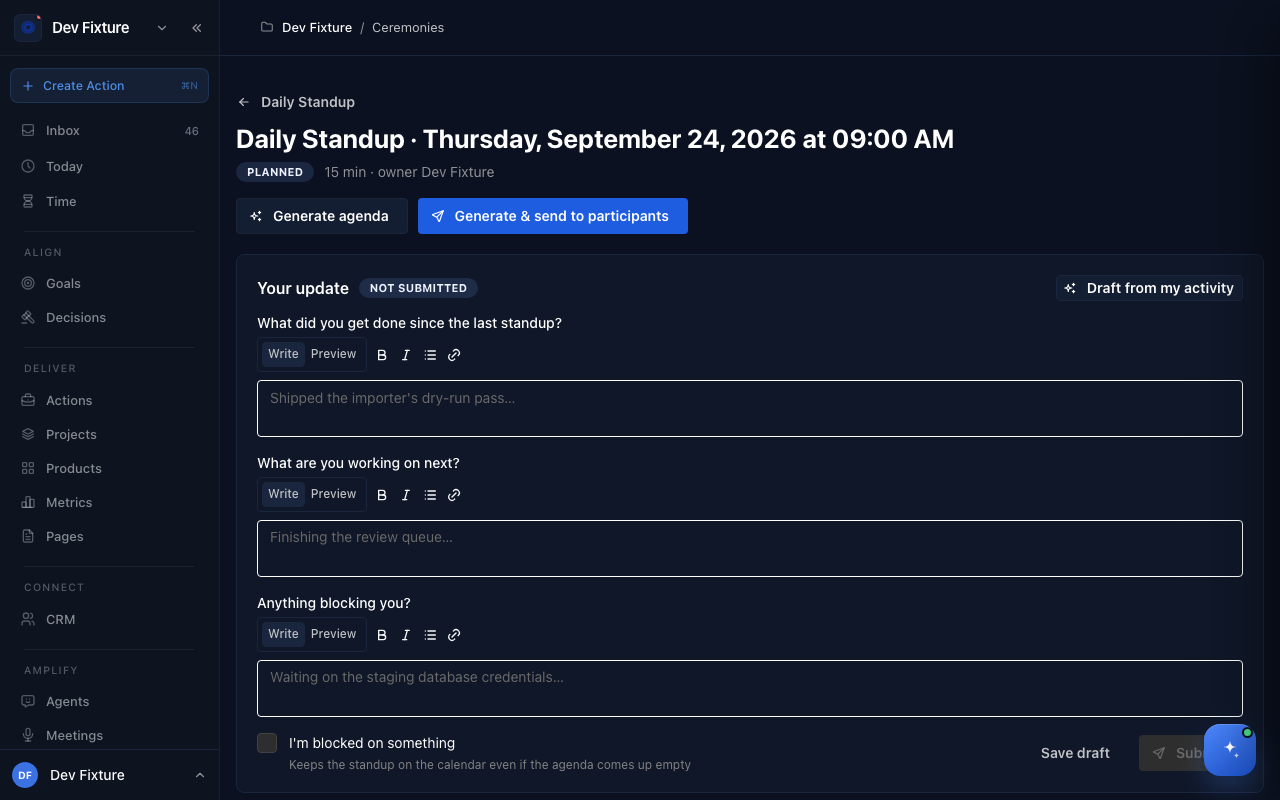
- Planned. The occurrence exists with its date. Participants can post Your update early: for a standup, what you got done, what is next, and anything blocking you (Draft from my activity fills it from your recent work; I'm blocked on something flags it). Async summary shows who has answered.
- Agenda circulated. The agenda is generated at the lead time, or now with Generate agenda / Generate & send to participants. Every item comes from a real record; nothing is invented.
- In progress → Captured. Record the meeting as usual. A recording whose title matches an alias attaches itself; otherwise link it from the meeting's rail. The occurrence then shows the recording, and the decisions and actions extracted from it.
- Followed through. Outputs are assigned and the parking lot carries into the next occurrence.
An occurrence with nothing to cover can be skipped with a reason; the page shows it was skipped. Notes for an occurrence are a page of their own, opened from the occurrence.
How to import and backfill
Import JSON loads ceremony definitions from a file in the template shape (keyed by slug). Backfill (dry run) then attaches existing recordings to occurrences by title alias and produces a report; run it as a dry run first, review, then run it for real.
How it connects
-
Retrospectives — a retrospective ceremony's outputs are recorded on the product's Retro tab: Retrospectives, insights & metrics.
-
Meetings — the recording that captures an occurrence: Meetings.
-
Decisions — decisions made in an occurrence are logged with it as their source: Decisions.
-
Actions and Projects — outputs land in the projects the ceremony reviews: Projects.
-
OKRs — key results without a recent check-in surface on planning agendas: OKRs.
-
Notifications — "agenda ready" goes out through your notification channels: Notifications.
FAQ
The agenda is empty. Its sections found no records: no blockers, nothing carried over, no open decisions. That is a real signal, and a good moment to skip the occurrence.
A recording did not attach. Its title matched no alias. Add the alias to the ceremony, or link the recording from the meeting's rail.
Can one recording belong to two ceremonies? No. A recording captures one occurrence; an occurrence can have several recordings.