
Habits
Track daily and weekly habits, tick them off each day, and watch your streaks build
Habits are recurring practices you want to keep up: daily, a few times a week, weekly, monthly, or on days you choose. The Habits page shows what is due today, lets you tick each one off, and keeps streaks and a 90-day activity calendar. A habit can be linked to a Goal so the daily practice sits next to what it serves.
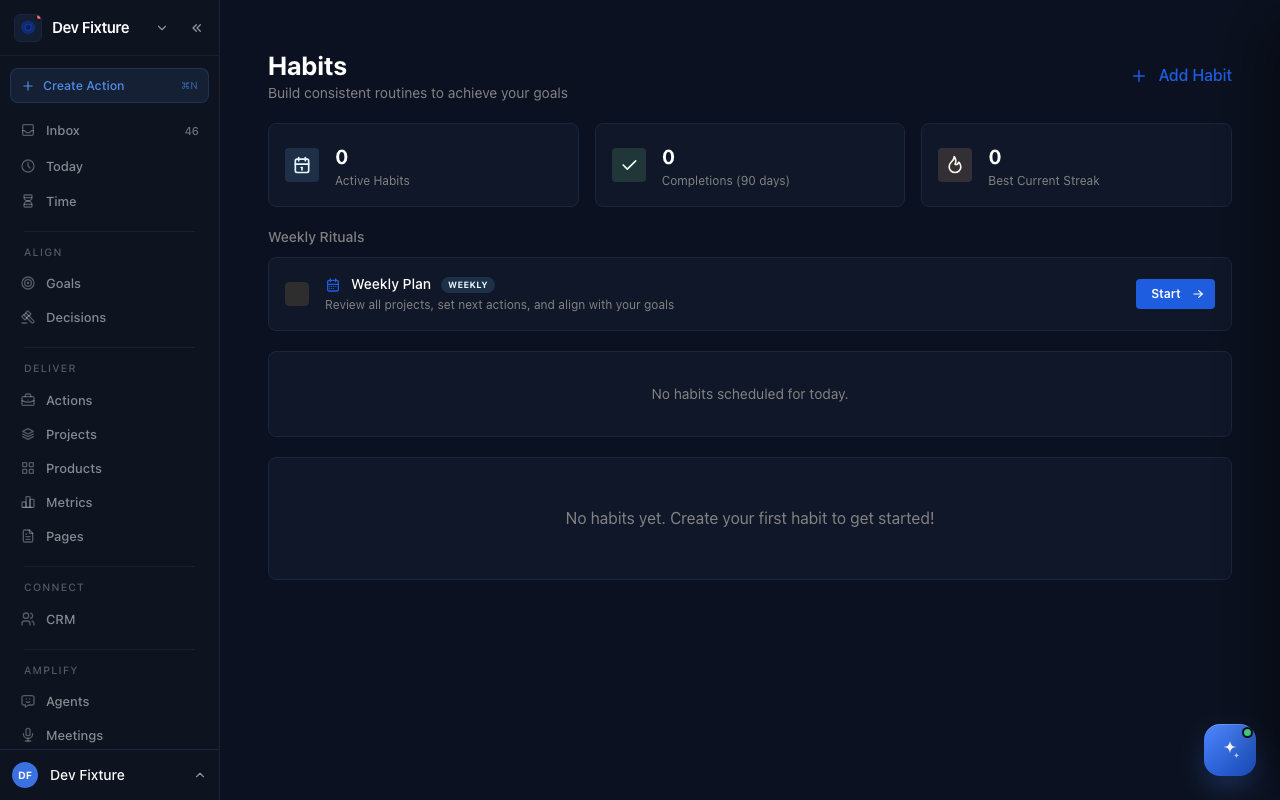
Where to find it
Open /habits. The page is not in the sidebar or the user menu, so bookmark it. Habits due today also appear in the Habits card on your home dashboard.
How to create a habit
- Click Add Habit (top right).
- Type the habit in the title field ("What habit do you want to build?") and, optionally, a Description.
- Pick a Frequency: Daily, 3x per week, Weekly, Bi-weekly, Monthly or Custom days. For 3x per week and Custom days, choose the Days of the week.
- Optionally set a Reminder time, a Start date, an End date and Link to goal.
- Click Create Habit.
How to tick off a habit
- Under Today's Habits, tick the checkbox next to the habit. The counter (2 / 3 completed) updates.
- Tick it again to undo.
Which habits are due today depends on the frequency: Daily every day; Weekly on Sundays; Bi-weekly every other Sunday from the start date; Monthly on the 1st; 3x per week and Custom days on the days you picked. A habit before its start date or after its end date is not listed.
How to read streaks and the calendar
- The three cards at the top show Active Habits, Completions (90 days) and Best Current Streak.
- The flame badge on a habit is its current streak: consecutive days with a completion, counting back from today or yesterday, whatever the habit's frequency.
- All Activity (Last 90 Days) appears once you have any completions. Each habit card also shows its Last 30 days.
- Switch the list between Active, Inactive and All.
How to edit or delete a habit
- Open the ⋯ menu on the habit card.
- Click Edit, change the fields and click Update Habit — or click Delete and confirm. Deleting removes the habit and its history.
How it connects
- Goals — a habit linked to a goal shows the goal's title on its card.
- Weekly plan — the Weekly Rituals card at the top of the page shows whether this week's plan is done, your streak in weeks, and a Start or View button.
- Routines — the wind-down routine ends with two fixed daily checkboxes; anything you want a streak for belongs here instead.
FAQ
Does the reminder time send a notification? Not yet. It is saved with the habit, but nothing sends a reminder.
Can I pause a habit without deleting it? Not from the app yet. Set an End date instead: the habit stops appearing in today's list after that date and keeps its history.
Can I add a note, duration or rating to a completion? Not yet. Ticking the checkbox records the completion for today only.
Why does my weekly habit only show up on Sundays? That is how Weekly and Bi-weekly are scheduled today. If you want it on a different day, use Custom days and pick the day.