
Products, tickets, features & cycles
The Product Management plugin: a product's backlog of tickets, its registry of features and scopes, and the cycles work is planned into
A product is a unit of delivery with its own backlog. Inside it, features are the permanent registry of what the product is made of, tickets are the engineering work items, and cycles are the time boxes tickets are planned into. Tickets and actions are different things: a ticket is a product artefact that can have child actions; an action is a piece of daily work. All of this needs the Product Management plugin, which is off by default.
Where to find it
- Turn the plugin on: workspace settings → Plugins → Product Management. Products and Metrics then appear under Deliver in the sidebar. See Plugins.
- Open Deliver → Products in the sidebar. The products area has four views: List, Grid, Products & Projects (which projects each product owns) and Product Roadmap (every feature across all products on one board).
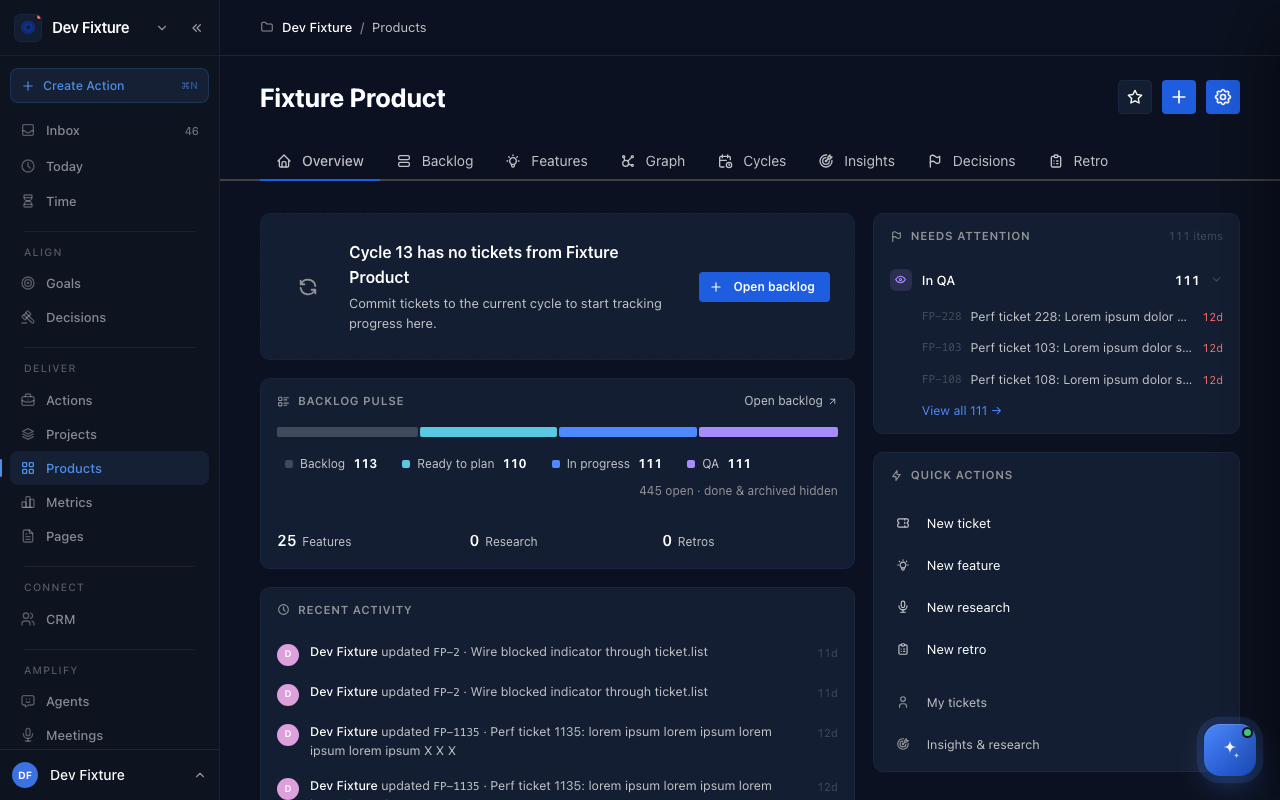
Each product page has eight tabs: Overview, Backlog, Features, Graph, Cycles, Insights, Decisions and Retro. Insights, Decisions and retrospectives have their own guides coming.
How to create a product
- Click New product on the products list.
- Enter a Name and a Slug (lowercase letters, numbers and hyphens; it becomes part of the URL). Add a Description if you like.
- Click Create product.
The Overview tab shows the current cycle's progress, a backlog pulse (how many tickets sit in Backlog, Ready to plan, In progress and QA), what needs attention, recent activity, and quick actions (New ticket, New feature, New research, New retro, My tickets).
How to work with tickets
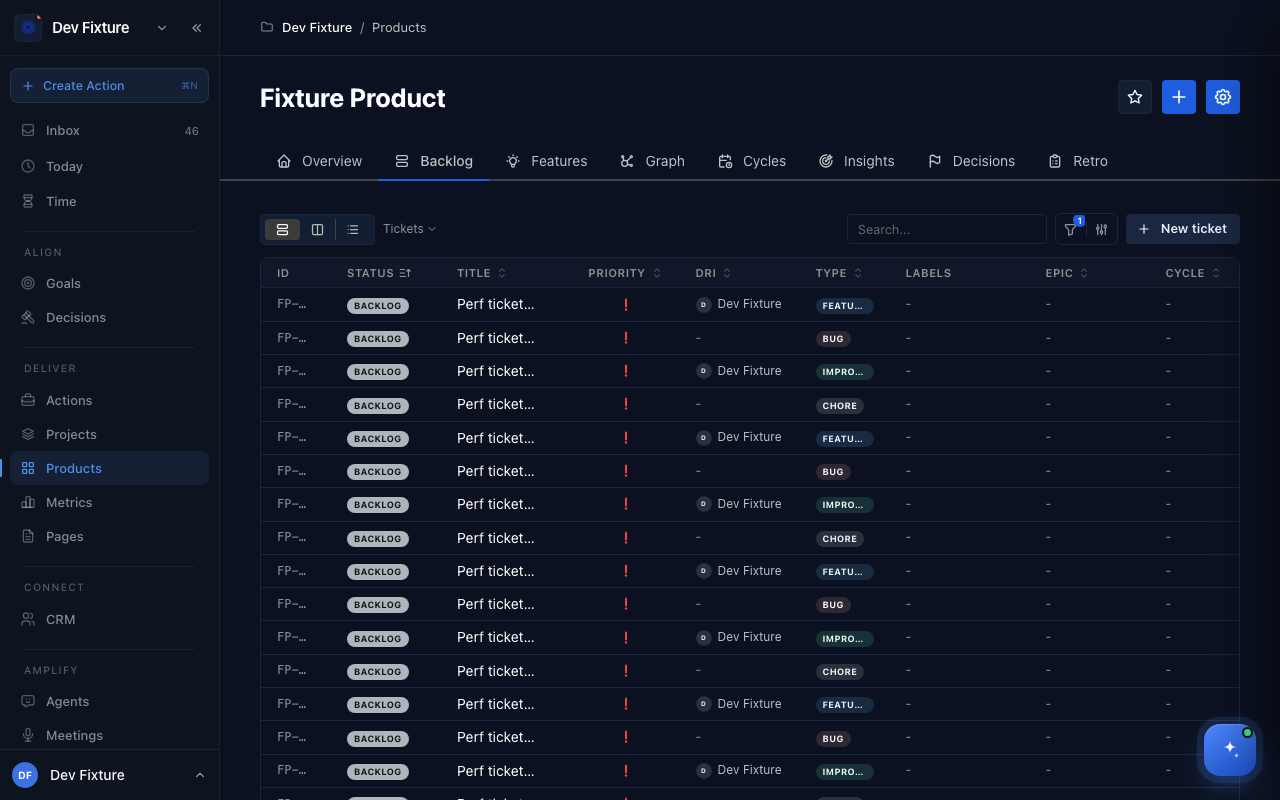
Backlog lists every ticket with its ID, status, title, priority, DRI, type, labels, epic and cycle.
- Click New ticket.
- Fill in the Title and a Markdown Body (acceptance criteria, repro steps). Choose a Type (Bug, Feature, Improvement, Chore, Spike or Research), a Status, Story points, and optionally the Feature and Cycle it belongs to, plus a Branch, PR URL and Design URL.
- Click Create ticket.
A ticket moves through Backlog → Needs refinement → Ready to plan → Committed → In progress → Blocked / QA → Done → Deployed, and can be Archived. On a ticket's page you set its properties (status, priority, type, assignee, effort, feature, epic, cycle, labels), record dependencies (Depends on and Required for; a ticket with an open blocker shows as blocked), attach child actions under Actions, and discuss it in the Activity thread (⌘Enter to send, @ to mention).
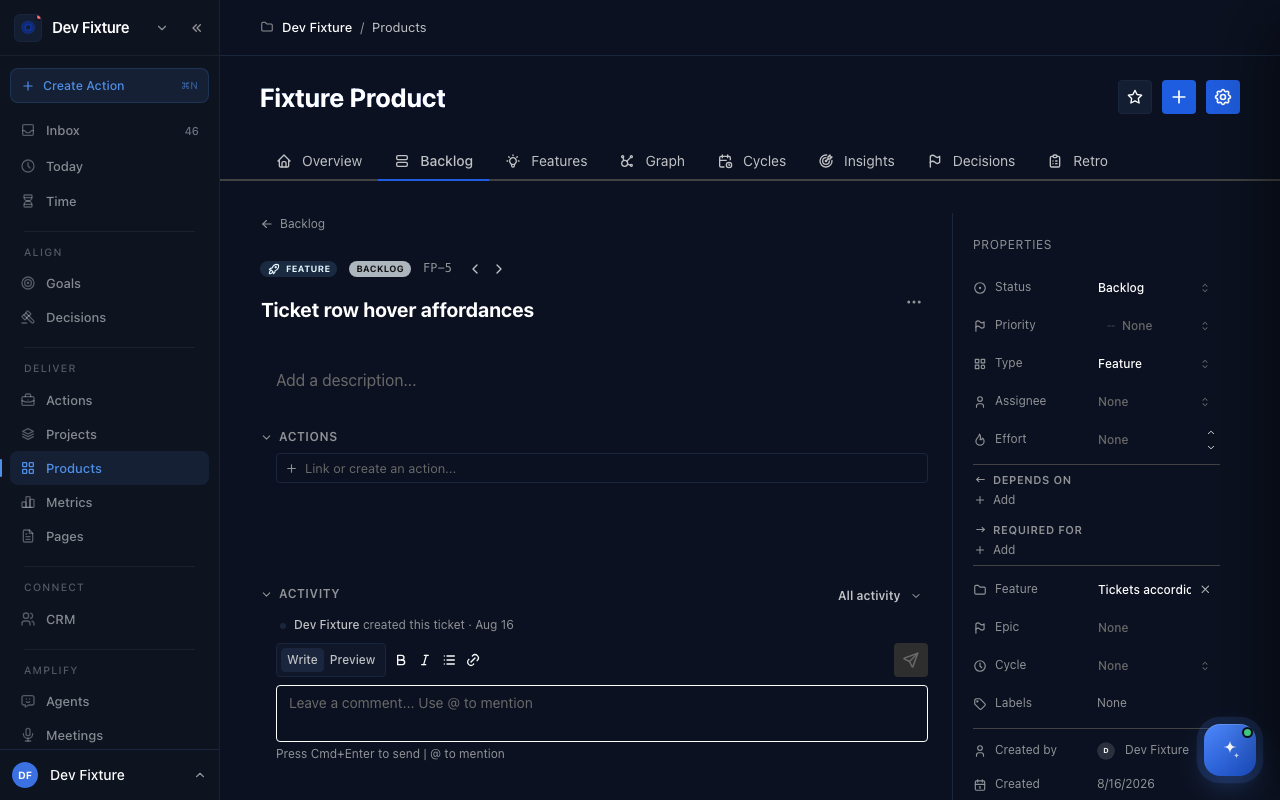
Ticket IDs are PREFIX-number by default; a product can switch to Fun ticket IDs (word pairs like swift.falcon) in its settings.
How to work with features and scopes
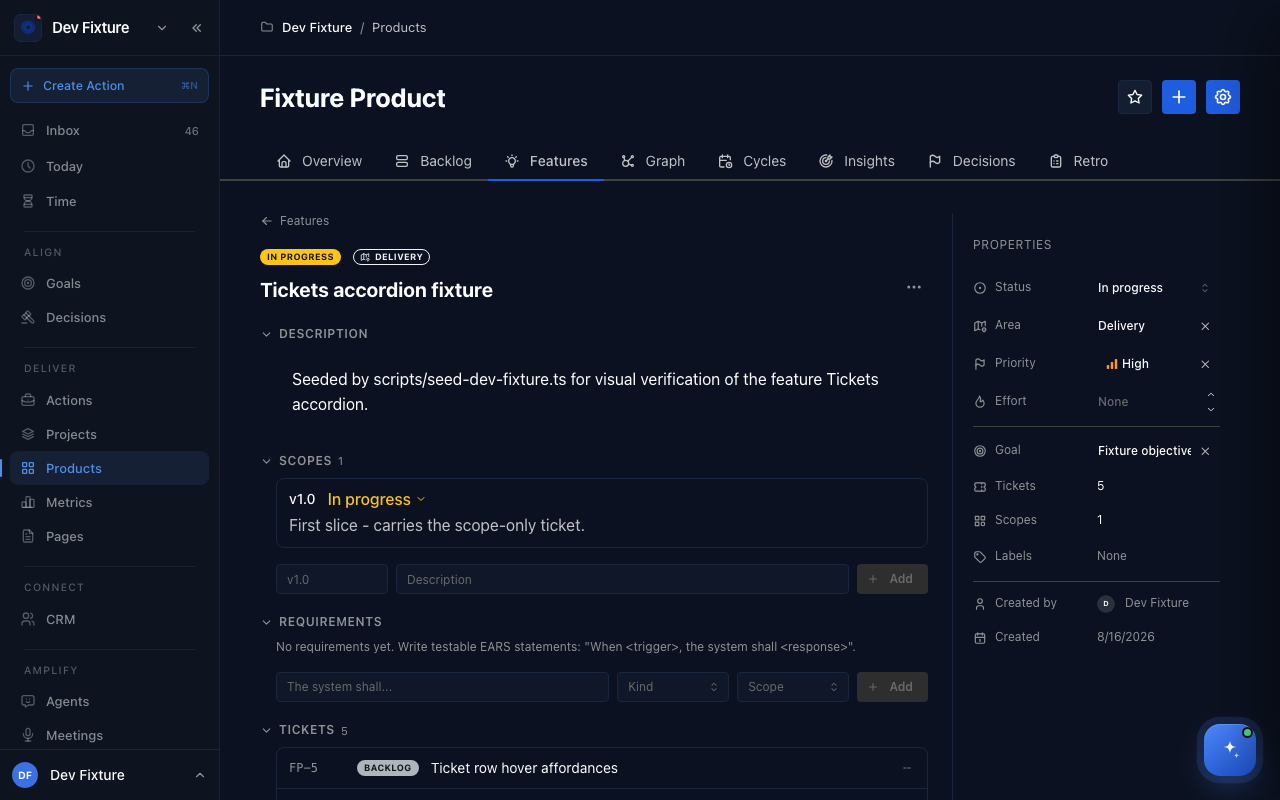
Features is the registry of what the product is made of, not a to-do list. A feature moves Idea → Defined → In progress → Live (and later Deprecated or Archived).
- Click New feature and give it a Name and Description; optionally a Vision (where the capability should go long-term), an Aligned goal, Effort and a priority (Urgent, High, Medium, Low). Area and labels are set on the feature's page.
- Add Scopes: opt-in delivery stages of the feature, each Planned → In progress → Live, such as "v1: manual entry" then "v2: bulk import". Once any scope is Live the feature is Live.
- Add Requirements as testable EARS statements ("When <trigger>, the system shall <response>"), typed Functional, Non-functional or Constraint.
- Link work: tickets target the feature (or one of its scopes) and roll up in the Tickets accordion; a PRD page can be attached under Docs; a Goal can be linked so the feature counts as executing work for a key result.
The Graph tab draws the objective → feature → ticket tree, with completed items hidden by default; Product Roadmap in the products area lays every product's features on one Idea / Defined / In progress / Live board, grouped by objective.
How to plan cycles
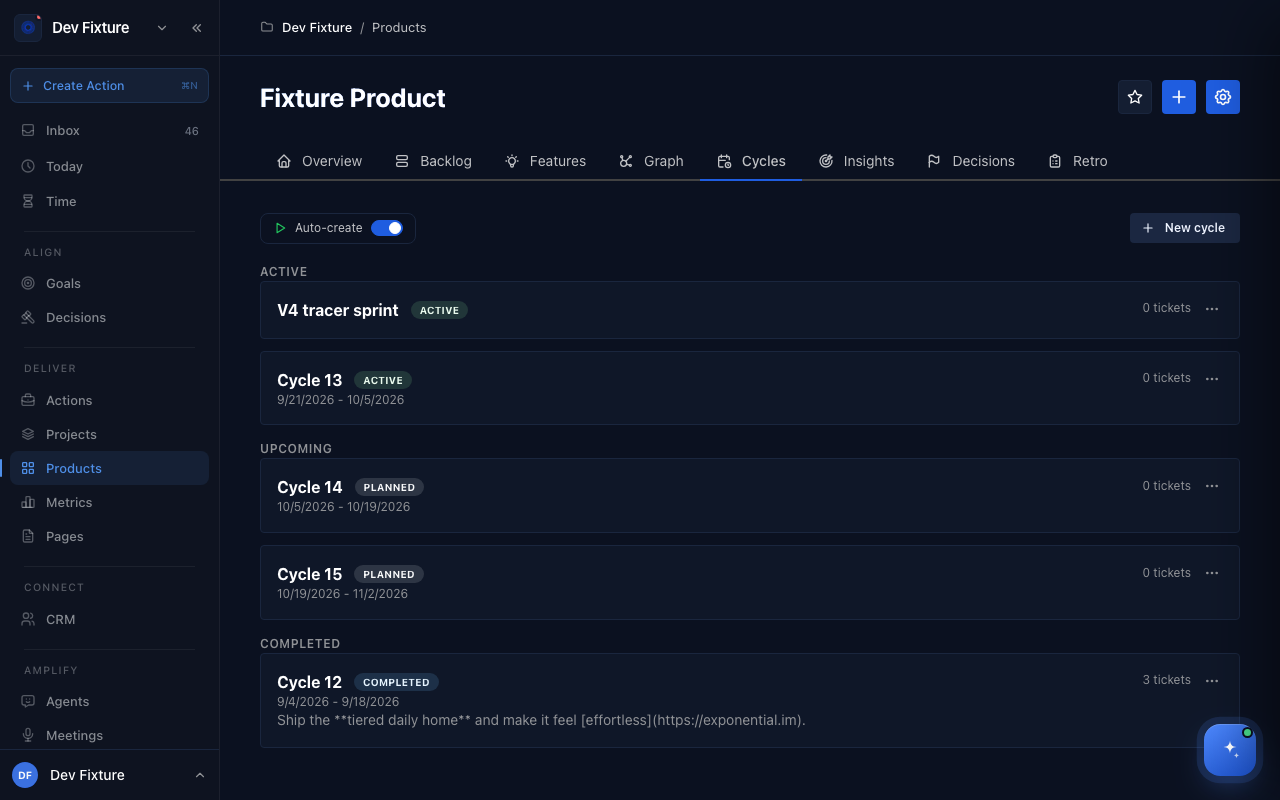
A cycle is a time-boxed iteration that groups tickets.
- On Cycles, click New cycle: Name (for example "Sprint 12"), Start date, End date, a Cycle goal and an optional Description.
- Or let the product generate them: in product settings → Cycles, switch on Enable cycles and Auto-create cycles, choose the Cadence, Start day and how many upcoming cycles to pre-generate. Auto-create on the Cycles tab fills the gap immediately.
- Assign tickets to the cycle from the ticket's Cycle property. The Overview tab tracks the current cycle's progress, and the Metrics page reports velocity per completed cycle.
Cycles are listed as Active, Upcoming and Completed.
Product settings
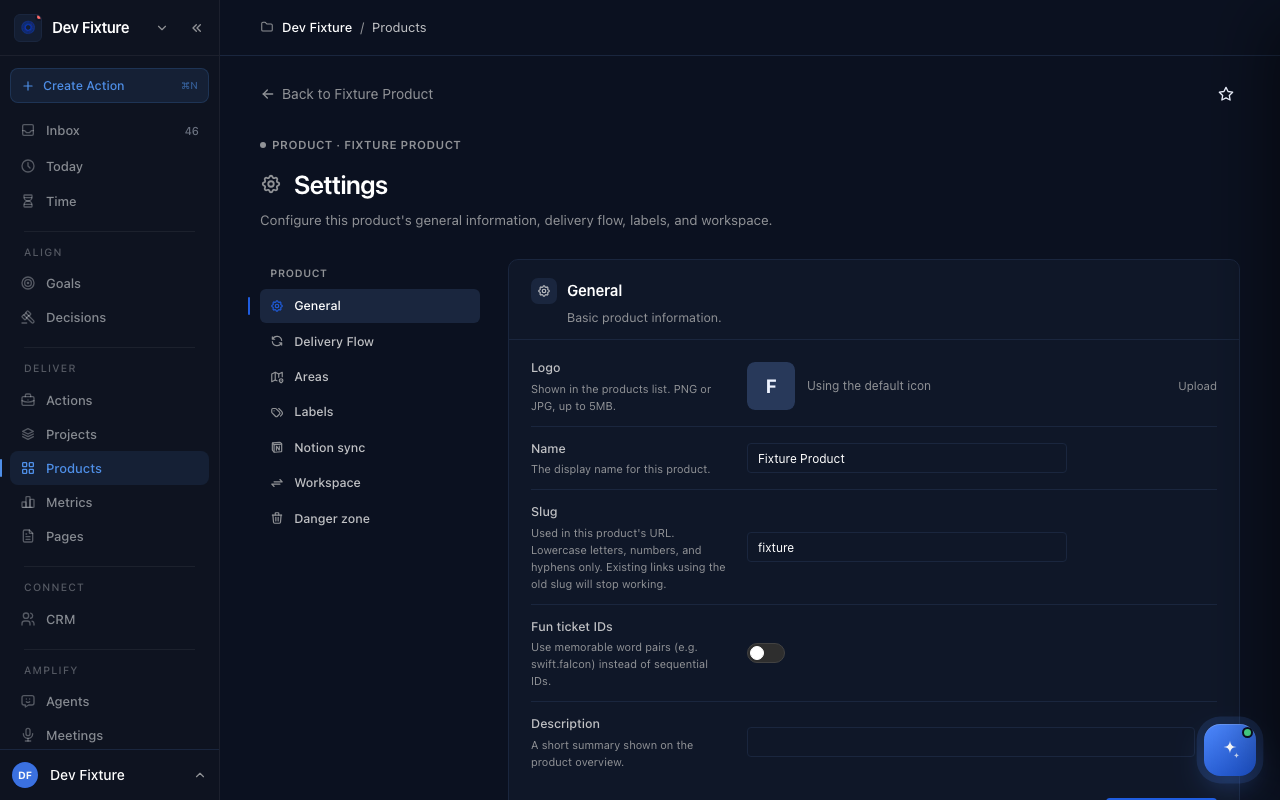
A product's Settings page (append /settings to the product's URL; Back to <product> returns) has: General (logo, name, slug, fun ticket IDs, description), Delivery Flow (the workflow stages for tickets, features, epics and cycles), Areas (the parts of the product features belong to), Labels, Notion sync, Workspace (move the product to another workspace you own) and a Danger zone.
How it connects
- Projects — a product can own projects (Project → Action work) alongside its Feature → Ticket work: Projects.
- Epics — group tickets and actions across products; every epic belongs to a product: Epics.
- Goals and OKRs — features link to key results as executing work: OKRs.
- Meetings — Ideate Features on a meeting proposes features for a product: Meetings.
- Sprint insights and the Metrics page report on cycles: Sprint insights.
- CLI —
exponential tickets,features,productsandepicsmanage all of this from a terminal or an agent.
FAQ
I do not see Products in the sidebar. The plugin is off, or your navigation hides it. Turn it on under workspace settings → Plugins, then check Settings → Navigation.
Ticket or action? If it is engineering work in a product's backlog with a status like Ready to plan or QA, it is a ticket. If it is something a person does today, it is an action. A ticket can have child actions.
Can a ticket belong to two products? No. A ticket lives in one product; move it by editing it.
Where are retrospectives, insights and metrics documented? In Retrospectives, insights & metrics.