
Integrations
Where every connection lives, what each one does, and which page to set it up on
Exponential connects to the tools your work already flows through: meeting recorders send transcripts in, chat apps let you talk to Zoe, and task tools stay in sync. Connections are personal (they live under your account, not the workspace) unless a page says otherwise.
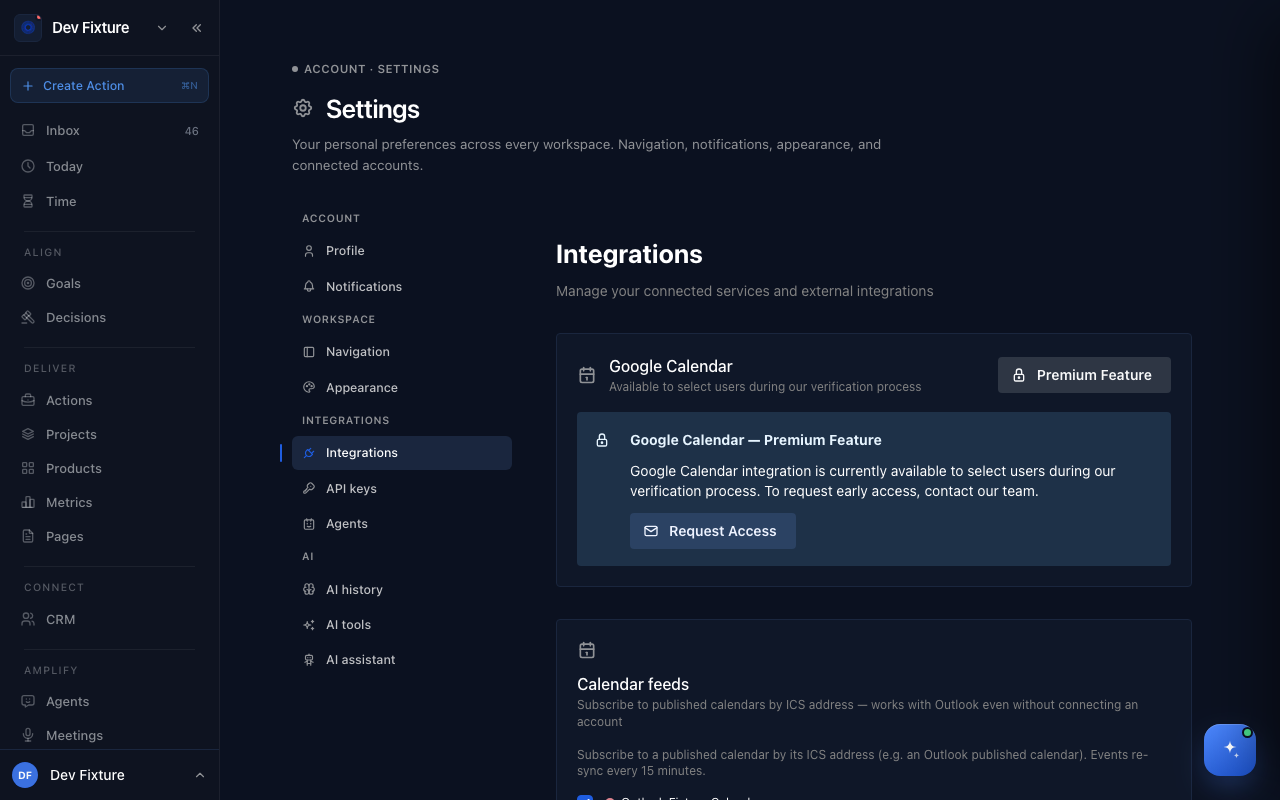
Where to find it
- Settings → Integrations — connect accounts and services. This is the main page.
- Workflows, from your user menu — a status board for the data-capture and task-sync integrations, plus two guided processes.
- Workspace settings → Integrations — connections that belong to the workspace rather than to you: the agents' email account, Postmark, Slack and Zulip notification routing, a Matrix homeserver, Sentry, the default Notion account and Fireflies. See Workspace settings.
What you can connect
| Service | What it does | Set up on |
|---|---|---|
| Fireflies | Sends every recorded meeting in, with actions and a summary extracted | Settings → Integrations → Add Fireflies |
| Slack | Lets Zoe read, search and post in your Slack; routes meeting summaries to channels | Settings → Integrations → Add Integration → Slack |
| Chat gateways | Chat with Zoe from WhatsApp | Settings → Integrations → Connect WhatsApp |
| Telegram | Chat with Zoe from Telegram, with a default agent per connection | Settings → Integrations → Connect Telegram |
| Notion | Two-way sync between a Notion database and your actions, with status mapping | Workflows → Notion Tasks Database → Configure |
| Monday.com | Sync actions with a Monday.com board (push, pull or both) | Workflows → Monday.com Boards → Configure |
| Calendar feeds | Subscribe to a published calendar by its ICS address (works with Outlook); events refresh every 15 minutes and appear on Today | Settings → Integrations → Add calendar feed |
| Google Calendar | Two-way calendar access; in early access while Google verification completes | Settings → Integrations → Request Access |
| GitHub | Track repositories so pull requests and commits show in activity and metrics; needs the GitHub App installed by an administrator | Settings → Integrations → GitHub Repositories |
| Email (IMAP) | Read a mailbox for the CRM | Settings → Integrations → Add Integration → Email (IMAP) |
| iOS shortcut, Chrome extension | Capture actions from your phone or browser using an API key | Settings → API keys |
Notion and Monday.com sync are exclusive: pick one task system to sync with, to avoid duplicate actions.
How to add a service
- Open Settings → Integrations.
- Scroll to External Service Integrations and click Add Integration.
- Choose the service and enter what it asks for (an API key, or a bot token and signing secret). Credentials are encrypted at rest.
- The service appears under Connected Services. Some services then need a step on their side, for example Fireflies' webhook; each guide covers it.
How to read the Workflows page
Each card on Workflows shows a status:
| Status | Meaning |
|---|---|
| Active | Connected and working |
| Available | Ready to set up |
| Setup Required | Partly configured; open it to finish |
| Available Soon / Coming Soon | Not available yet |
Below the integrations are two Guided Processes: Launch Sprint (a three-week plan to validate or launch a product) and Elevator Pitch (a structured pitch template).
How it connects
- Meetings — Fireflies is the main way meetings arrive; the Meetings page (Amplify → Meetings) lists them and lets you assign each to a project.
- Zoe — Slack, WhatsApp and Telegram are all ways of reaching Zoe; she has the same memory and tools in each.
- API tokens — services that need to call Exponential (webhooks, the shortcut, the extension) use a key from API tokens. Integrations that Exponential calls out to use their credentials, stored here.
- Notifications — where summaries and reminders are delivered is a separate setting: Notifications.
FAQ
Is a connection shared with my team? No. Connections under Settings → Integrations are yours. Workspace-level settings (Notion default account, GitHub repositories) are under workspace settings → Integrations and visible to admins.
Something shows "Setup Required". Open the card. Usually a token expired or a second step (such as pasting a webhook into the other service) was never completed.
Can I sync with both Notion and Monday.com? No, one task system at a time.