
Exponential's Team Metrics
See how the team is delivering.
Delivery numbers computed from the tickets, pull requests and time your team already records: velocity and completion per cycle, PR turnaround, who shipped what, and the risk signals in the current sprint.
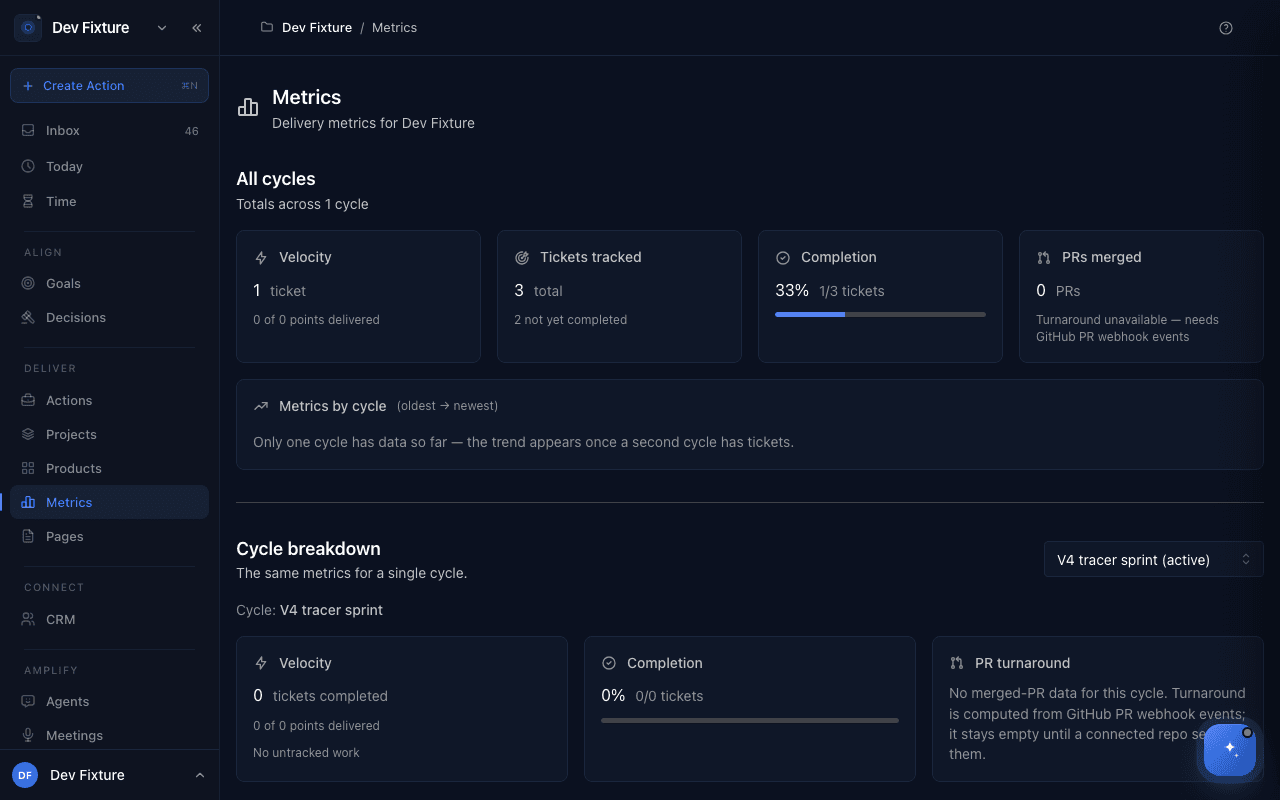
Team Metrics
What you get with Team Metrics
- Velocity, tickets tracked and completion for each cycle
- Pull requests merged and average turnaround, from GitHub
- A per-person table: tickets, points, PRs, commits and time logged
- Trends across cycles, and a breakdown for any one cycle
- Ask Zoe for sprint status, burndown and risks
- The same signals available to agents through the API
The Metrics page
With the Product Management plugin on, Metrics shows each cycle's velocity (tickets completed, with story points alongside), tickets tracked, completion rate, and pull requests merged with their average turnaround from opened to merged. Metrics by cycle draws the trend once two cycles have tickets, and Cycle breakdown shows the numbers for any single cycle.
A contributors table breaks the cycle down by person: tickets done, points, PRs merged, commits and time logged, with each person's share of the team's completed tickets. It is a picture of delivery, not a ranking. Use it to see where the work went, not to decide who to promote.
Sprint risk signals, on request
Ask Zoe "what's the sprint status?" and she computes it from the actions in the active sprint: planned versus added work, completion rate, velocity, a burndown and risk signals. A signal fires when more than a fifth of the sprint was added after it started, when an action has sat in progress for three days, when work is overdue or blocked, or when the sprint is more than half over and completion is well behind.
External agents can read the same metrics, burndown, risk signals and velocity history through the API, and record a daily snapshot.
What it doesn't do
There is no capacity planner: no hours-per-person availability, no overload warnings and no assignment suggestions. For finding time together, Schedule meeting's Find times looks across attendees' working hours and calendars. Effort estimates in points, t-shirt sizes or hours feed velocity when you switch on advanced action features.
Team Metrics FAQ
What do I need to see Metrics?
The Product Management plugin, cycles with tickets, and GitHub connected for the pull request numbers.
Does it show team capacity or availability?
No. It reports delivery: what was completed, merged and logged. Find times on the calendar shows when people are free to meet.
Is there a sprint dashboard?
Cycle-level velocity, completion and PR turnaround are on the Metrics page. Sprint status, burndown and risks come from asking Zoe or from the API.
Where do the per-person numbers come from?
From tickets completed in the cycle, their story points, GitHub pull requests and commits, and time entries.
Related
One place for your team, your agents and the work
Open source and free to start. Bring your team, connect an agent, and see what changed this week.
Get started free